What is ratchet
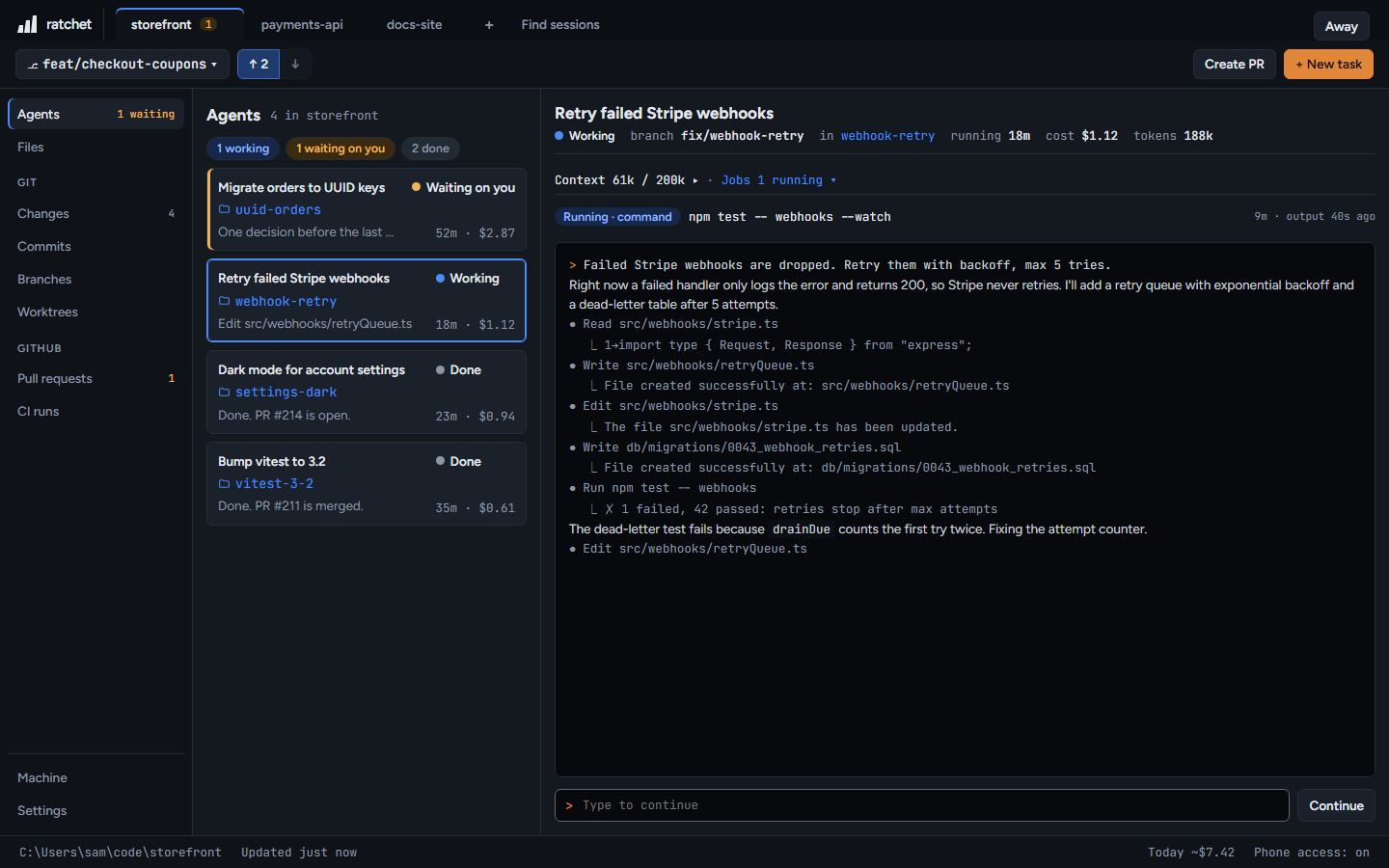
ratchet is a dashboard that runs on your own PC and shows every Claude Code agent working in your git repos, with the git, GitHub and file views you need to review what they did.
Who it's for
People who run Claude Code on more than one task at a time. Once you have three agents in three terminals across two repos, it gets hard to see which one is stuck on a question and which one broke CI. ratchet puts them in one tab.
What you can do
- See every agent in a repo, including ones you started in VS Code or a plain terminal, with its live transcript and status.
- Start a new task: name a worktree, and ratchet makes the branch and worktree and opens Claude Code there, waiting for you.
- Review the diff, commit, push, open a pull request and watch CI without leaving the page.
- Open the same workspace on your phone and get an alert when an agent needs you. One phone holds all your PCs, and it can update ratchet on them.
- Come back to Since you left: which agents need you, which are stuck and what they cost while you were away. Search what agents said in History.
- See tokens and cost per day, repo, model and task on Usage, and whether your Claude plan pays off.
- Run agents on two Claude accounts, such as work and personal, with the same setup.
- Work with a team: see your teammates' agents, and get a note when two of you change the same files.
- Add plugins for your own flows, and see what each one can do before it runs.
How it works
ratchet is an npm package. When you run ratchet, it starts a small server on 127.0.0.1 and opens it in your browser. It reads Claude Code's own session files, your repos and the GitHub CLI. You don't need a ratchet account; sign in with GitHub only if you want to find your PCs from any browser. ratchet sends anonymous usage statistics only if you say yes when it asks, and the phone relay is optional. See Privacy and data.